The main window. It opens with the WBS button.
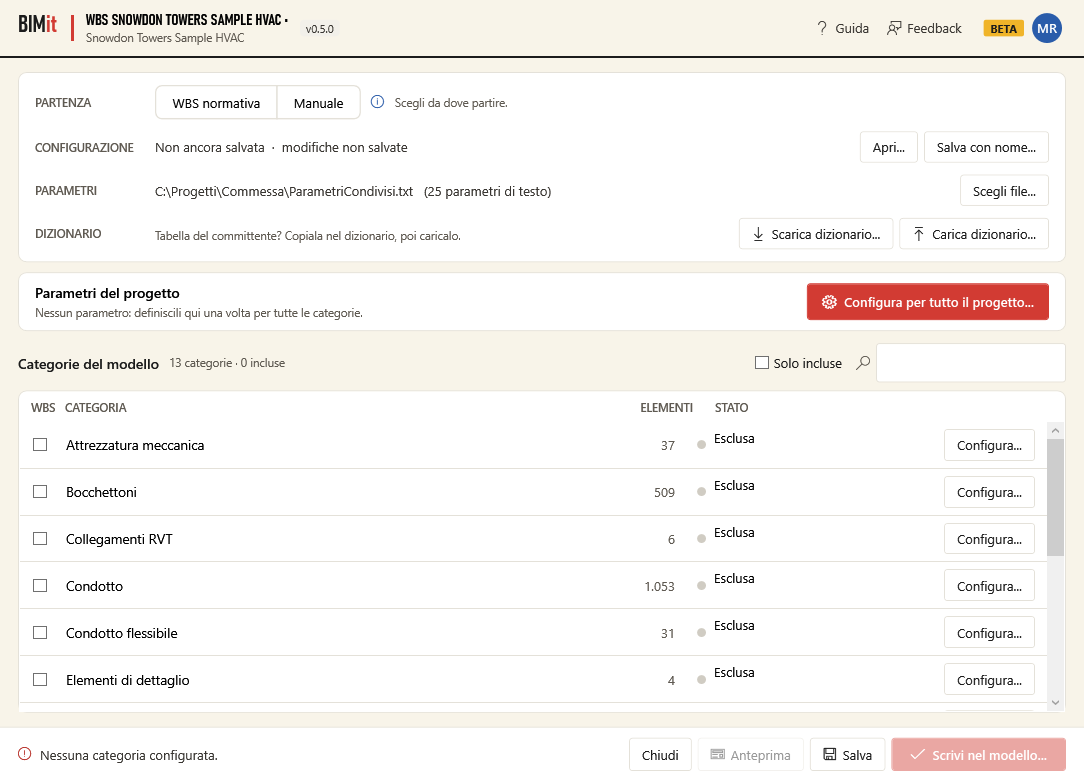
Top panel#
| Row / button | What it does |
|---|---|
| START · Standard WBS | Loads the ready-made standard WBS: parameters, codes, rules and categories. The code has the form PROJECT-ZONE-LEVEL-DISCIPLINE-SYSTEM-ELEMENT. Then you change only what you need. |
| START · Manual | Start from scratch and define the parameters yourself. Clears the current configuration (BIMit asks for confirmation). |
| ⓘ | Hover: the reference standard and an explanation of the standard WBS. |
| CONFIGURATION | The configuration file (.json) and whether there are unsaved changes. BIMit links it to the model: next time it reopens by itself. |
| Open… | Opens another configuration, for example a colleague's or another project's. |
| Save as… | Saves the configuration to a new file. |
| PARAMETERS | The shared parameter file (.txt) from which you pick parameter names. BIMit only reads it. Without a file, BIMit creates new parameters with a file of its own. |
| Choose file… | Chooses the shared parameter file. |
| DICTIONARY · Download dictionary… | Saves the WBS to an Excel sheet to fill in with the client's codes (dictionary). |
| DICTIONARY · Load dictionary… | Reads the completed sheet and updates codes and structure. |
With the Standard WBS the window fills up:
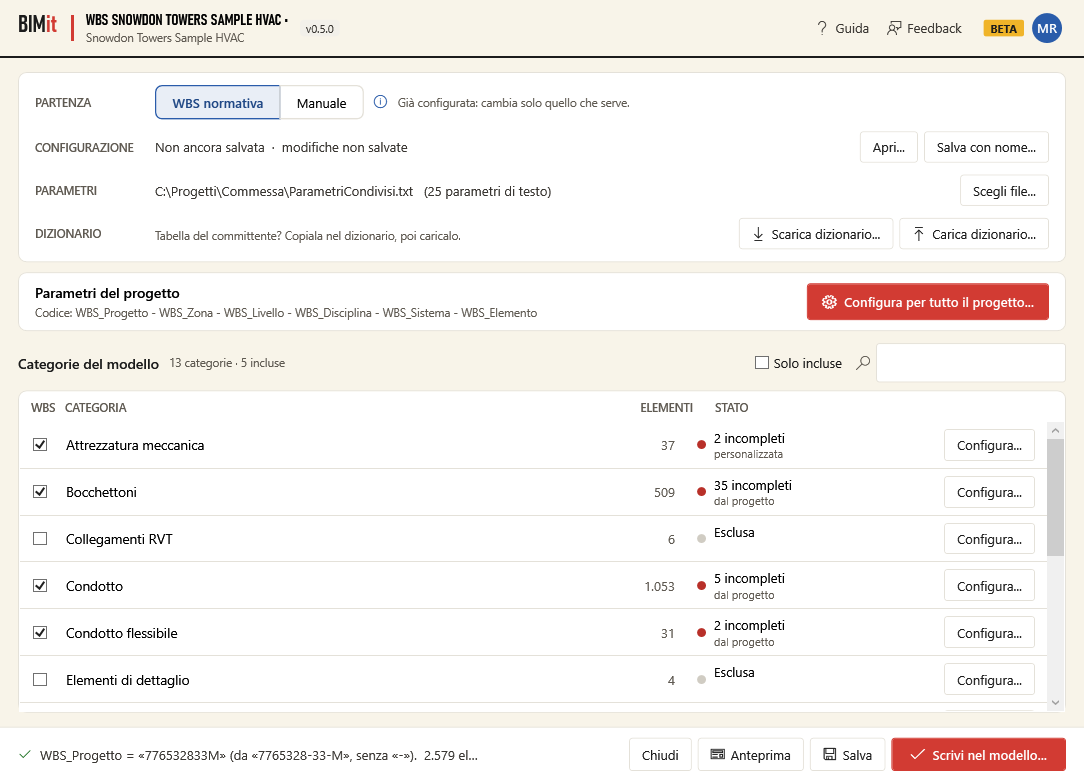
Project parameters#
The row Code: WBS_Progetto - WBS_Zona - … summarizes how the code is built. Configure for the whole project… opens the parameter configuration for the parameters that apply to all included categories: you define them only once.
If the project number contains the code separator (for example
7765328-33-Mwith-), when loading the standard WBS BIMit uses it without the separator (776532833M) as fixed text and tells you at the bottom. You can change it in Configure for the whole project →WBS_Progetto.
Model categories#
All categories that have elements in the model, with how many.
| Column / button | What it does |
|---|---|
| WBS (checkbox) | Include or exclude the category. Only included categories receive the WBS. |
| CATEGORY, ELEMENTS | Name (in Revit's language) and number of elements. |
| STATUS | Excluded, To configure, Ready, or how many elements are incomplete or to review. Below: from project (uses the project parameters) or custom (has changes of its own). |
| Configure… | Opens the configuration of that category (also by double-clicking the row). If the category was excluded, it includes it. |
| Included only | Shows only included categories. |
| 🔍 search box | Filters categories by name. |
Window footer#
| Item | What it does |
|---|---|
| Message on the left | ✔ how many elements have a complete code, or ⚠ the first configuration error (hover to see them all). |
| Close | Closes. If there are unsaved changes it asks whether to save them. |
| Preview | Computes the code of every element and opens the preview. Disabled while the configuration has errors or no categories. |
| Save | Saves the configuration (also Ctrl+S). The first time it puts it in Documents\BIMit\<model>_WBS.json. |
| Write to model… | Saves the configuration and opens the summary before writing. Disabled if the model is read-only. |