The summary before touching the model.
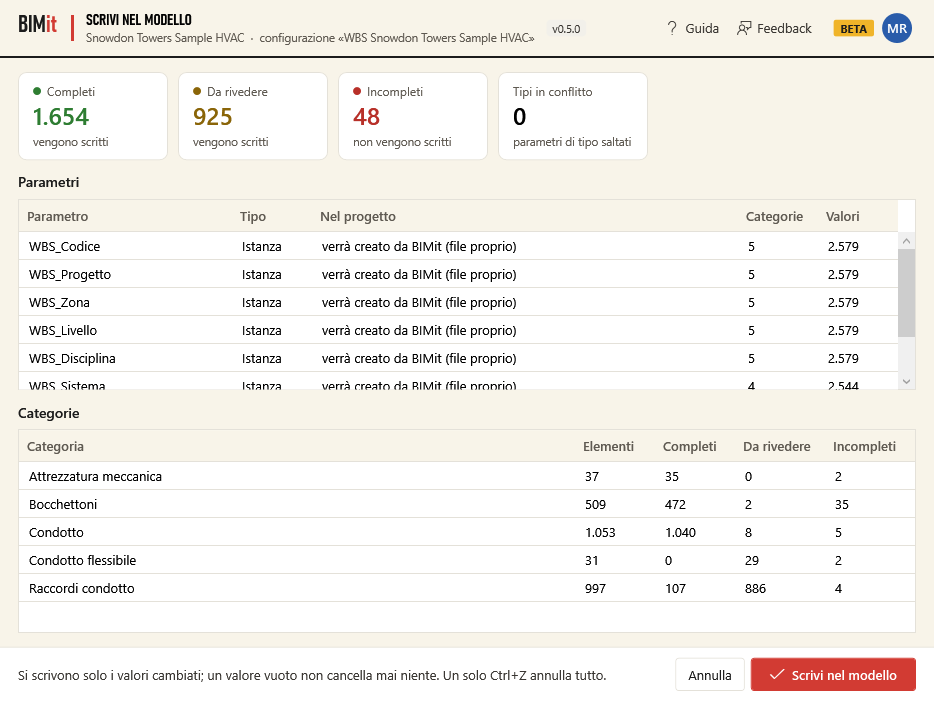
| Item | What it says |
|---|---|
| Complete / To review / Incomplete | How many elements and whether they are written (incomplete ones are not). |
| Conflicting types | Types whose elements would have different values for a type parameter: those type parameters are not written. |
| Parameters | For each parameter: Instance or Type, and in project: already exists, will be created from the shared parameter file, will be created by BIMit (own file), or exists as a type/instance parameter: will not be written. Then in how many categories and how many values. |
| Categories | For each category: elements, complete, to review, incomplete. |
| Cancel | Goes back without writing. |
| Write to model | Creates the missing parameters and writes the values. |
Safety rules: only changed values are written; an empty value never deletes anything; everything happens in a single operation, so one Ctrl+Z in Revit undoes it all.
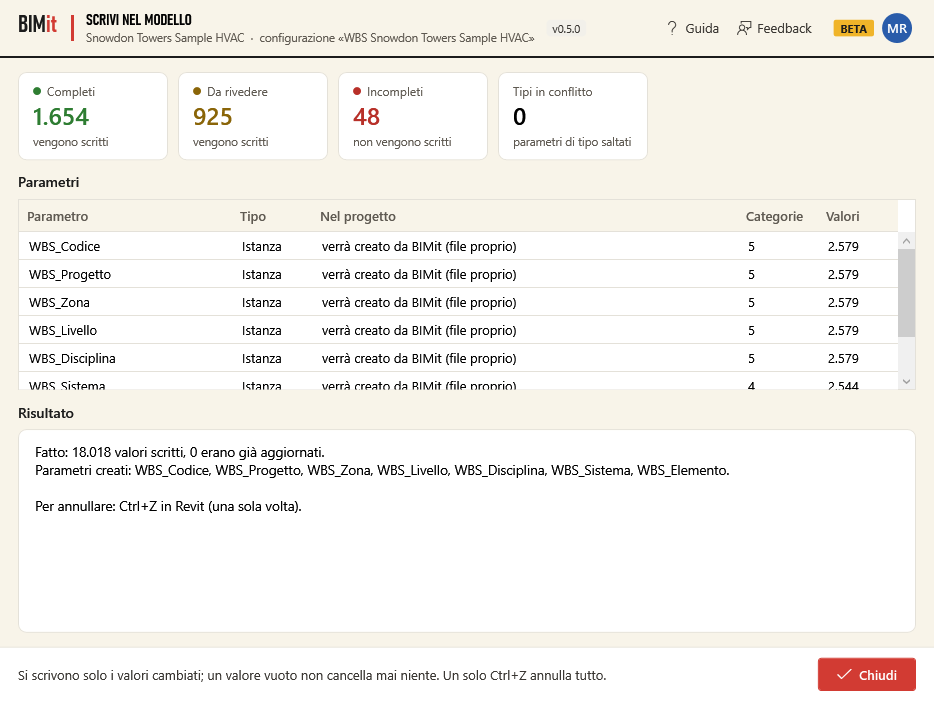
The Result says how many values were written, how many were already up to date, which parameters were created and, if something was not written, why.
Elements inside groups. Revit accepts a value on an element in a group only if the parameter can vary by group instance (the WBS code depends on the level, the zone…). If some of the elements to write are inside groups, BIMit turns this option on for the instance WBS parameters and says so in the Result (values can now vary between group instances). If it cannot be turned on for a parameter, those elements stay among the Not written with the reason inside a group.
If Revit refuses. Revit's error dialog does not open: if Revit refuses the change, BIMit undoes everything, the model stays as it was and the Result says Nothing was written with the reason given by Revit.