

Use Python Without Fear: Welcome to the AI-Assisted Era#
For many Dynamo users, Python has always represented a barrier.
Before AI assistants became widely available, using Python inside Dynamo required a solid understanding of traditional programming concepts: variables, lists, loops, conditional logic, functions, and sometimes object-oriented programming. This knowledge is rarely taught in architecture or engineering programs, which made scripting feel inaccessible or reserved for specialists.
This created a clear division:
- Visual nodes for most users
- Text-based scripting for a small group of advanced users
AI changes this dynamic completely.
The purpose of this article is not to turn designers into programmers, but to show that today it is possible to use Python in Dynamo safely and productively, even without a formal programming background, as long as the workflow is correct.
AI does not replace understanding.
It reduces friction, accelerates iteration, and lowers the entry barrier.
When Does Scripting Actually Make Sense?#
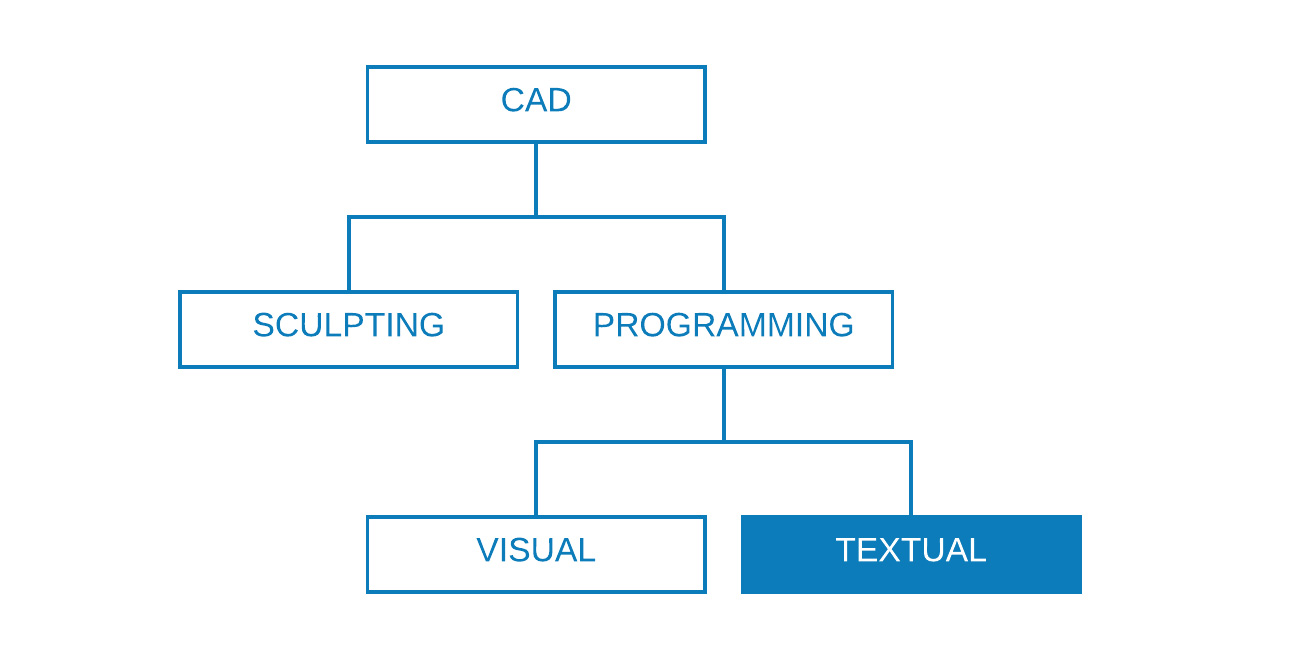
A common mistake is using Python too early.
Visual programming should always be the starting point in Dynamo. Nodes make data flow explicit and easier to understand. Scripting becomes useful only when visual logic starts to break down.
You should consider scripting when:
- The graph becomes unreadable due to repetition
- Logic requires nested loops or complex conditions
- Performance degrades with large datasets
- External data or libraries are required
- The same logic must be reused across multiple projects
In short:
Use Python when visual nodes stop explaining the logic and start obscuring it.
Traditional Use Cases for Text-Based Scripting#
Text scripting is not about replacing nodes.
It is about handling complexity more efficiently.
Typical scenarios include:
-
Looping
Multiple nested iterations that are difficult to express visually. -
Recursion
Self-referencing algorithms that are almost impossible to manage with nodes. -
Complex data manipulation
Advanced filtering, grouping, sorting, or restructuring of lists. -
Mathematical or geometric logic
Algorithms and equations that are clearer in text than in node networks. -
External libraries
Integration with Python packages, APIs, or .NET assemblies.
DesignScript, Python, or C#? A Practical Comparison#
Dynamo supports multiple ways to define logic. Each has a specific role.
| Feature | DesignScript | Python | ZeroTouch (C#) |
|---|---|---|---|
| Looping | Yes | Yes | No |
| Recursion | Yes | Yes | No |
| Compact logic | Yes | Partial | No |
| External libraries | No | Yes | Yes |
| Performance | Medium | Medium | High |
| Learning curve | Low | Medium | High |
Practical takeaway:
- DesignScript → concise logic inside graphs
- Python → flexible scripting and experimentation
- C# → production-grade compiled tools
AI assistance has the biggest impact in Python, where iteration speed and readability matter most.
The AI-Enhanced Dynamo Workflow#
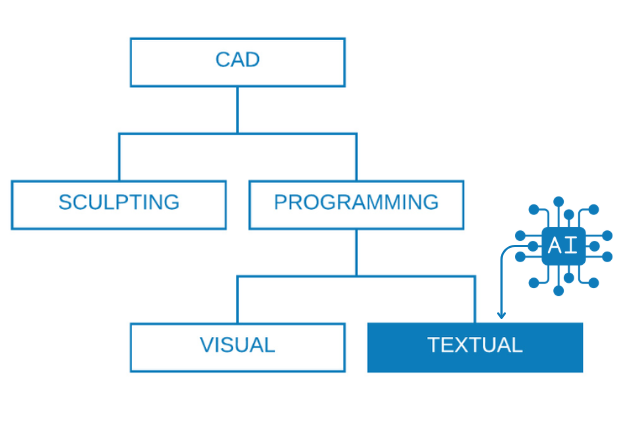
AI does not replace reasoning.
It changes how iteration happens.
A modern Dynamo scripting workflow looks like this:
- Clearly define the problem
- Ask AI for a first draft
- Test and validate the output
- Refine logic incrementally
- Optimize only when necessary
Step 1: Defining the Problem Clearly#
The quality of AI output depends entirely on problem definition.
Avoid vague requests such as:
"Create a Dynamo script for panelization"
Instead, describe the task parametrically:
1I need a Python script in Dynamo that:2
3* Receives a surface as input4* Divides it using UV parameters5* Generates rectangular panels6* Outputs panel geometry for fabrication
This forces clear thinking and already improves the solution quality, even before writing any code.
Step 2: Using AI-Generated Code as a Starting Point#
AI excels at generating initial boilerplate code.
1import clr2clr.AddReference('ProtoGeometry')3from Autodesk.DesignScript.Geometry import *4
5surface = IN[0]6u_div = IN[1]7v_div = IN[2]8
9panels = []10
11for i in range(u_div):12    for j in range(v_div):13        u0 = i / u_div14        u1 = (i + 1) / u_div15        v0 = j / v_div16        v1 = (j + 1) / v_div17        18        panel = surface.TrimByUVParameters(u0, u1, v0, v1)19        panels.append(panel)20
21OUT = panels
This code is not the final solution. It is a starting point for refinement and validation.
Step 3: Iteration Instead of Perfection#
AI-assisted development is inherently iterative.
A typical evolution looks like:
- First version: works, but inefficient
- Second version: validated logic
- Third version: structured and readable
- Final version: documented and reusable
You can explicitly guide AI through this process:
1"Refactor this into functions"2"Add input validation"3"Optimize for large datasets"4"Explain what each part does"Structuring Code for Maintainability#

As scripts grow, structure becomes essential.
Clear Sections#
1# IMPORTS2import math3
4# INPUTS5surface = IN[0]6steps = IN[1]7
8# MAIN LOGICFunctions#
1def validate_surface(surf):2 if surf is None:3 raise ValueError("Surface input is empty")4 return surf.AreaClasses (When Necessary)#
Classes are useful for:
- Agents
- Stateful processes
- Reusable behaviors
They are not mandatory for every script.
Debugging with AI Assistance#
Debugging is one of the most effective uses of AI.
Instead of guessing, describe the issue precisely:
1This script returns None.2The input surface is valid.3The expected output is geometry.4Here is the code:AI can assist by:
- Identifying invalid inputs
- Suggesting inspection prints
- Adding error handling
- Simplifying logic paths
Example:
1if surface is None:2 OUT = "Invalid surface input"3else:4 OUT = surface.AreaBest Practices to Keep in Mind#
Still Required (With or Without AI)#
- Understand data flow
- Validate inputs
- Test incrementally
- Avoid premature optimization
Enabled by AI#
- Faster prototyping
- Better documentation
- Lower learning curve
- Safer experimentation
An Important Warning#
AI-generated code should never be:
- Blindly trusted
- Used directly in production
- Left unexplained
Always:
- Read the code
- Understand its behavior
- Test with real project data
AI accelerates execution. Responsibility remains human.
Final Thoughts#
AI-assisted scripting does not turn non-programmers into programmers overnight.
What it does is more important: it allows Dynamo users to focus on logic and intent instead of syntax and fear.
When used correctly, AI becomes a technical partner — not a shortcut.
If you already understand Dynamo logic, AI can help you go further, faster, and with more confidence than ever before.
Questions or Feedback?
I'd love to hear your thoughts on this article. Reach out directly and let's start a conversation.
Follow me on LinkedIn for more BIM tips and updates